

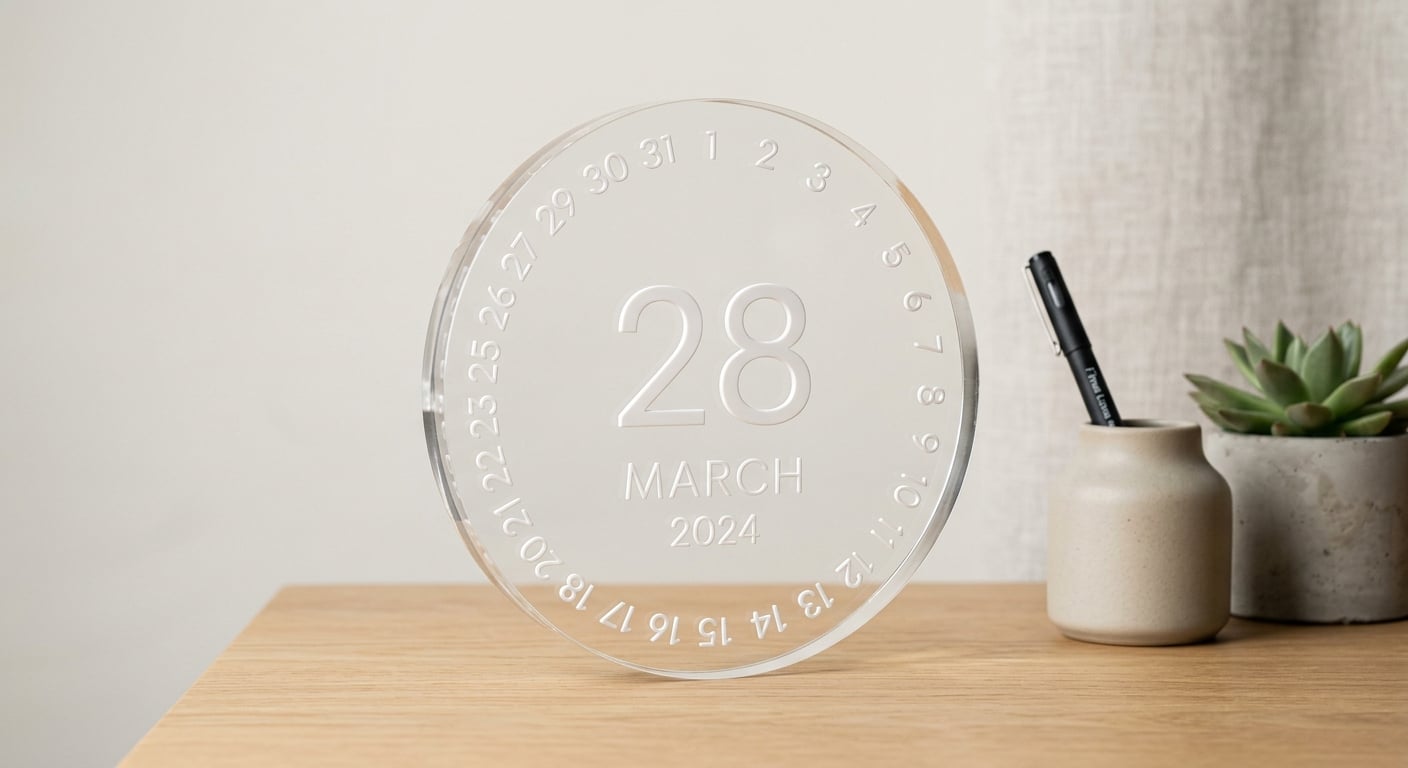



Customizable round acrylic perpetual desk calendar combines practical daily use with modern desk décor. Set the day, date, and month manually by rotating its parts, with no batteries, wires, or yearly replacement required. It is suitable for employee and executive desks, reception counters, promotional gifts, openings, and promotion gifts.
The calendar can be customized with a company or organization logo and colors coordinated with the brand identity, subject to available materials and production feasibility.
Key Features
- Elegant round acrylic design for modern offices.
- Perpetual calendar that can be reused year after year.
- Works manually with no battery or electricity.
- Easy adjustment of the day, date, and month.
- Company logo or a short phrase can be added when space allows.
- Suitable for individual orders and corporate gifts.
- Arrives assembled and ready for desk use.
How Does It Work?
The calendar is adjusted manually by moving or rotating the parts that display the day, date, and month. It has no electronic system or automatic date update.
Ideal For
- Employee and executive offices.
- Reception and customer-service desks.
- Corporate gifts for clients and employees.
- Exhibitions, conferences, and events.
- Opening, promotion, and appointment gifts.
- Home offices and study rooms.
Customization Options
- Add a company or organization logo.
- Add a name or short phrase when space allows.
- Select from available acrylic colors.
- Standardize the design for corporate quantities.
For best results, send the logo as a clear PDF or high-resolution PNG and avoid extremely fine details when the logo area is small.
How to Order
- Select the required color or layout.
- Upload the logo or file to be added.
- Enter any notes about logo placement or wording.
- Review all names and text before approval.
- Production begins after details are complete and file suitability is reviewed.
Important Notes
- The calendar is adjusted manually and does not change the date automatically.
- Colors may vary slightly from the screen due to lighting and acrylic characteristics.
- Logo placement depends on file clarity and available design space.
- Highly detailed logos may need simplification for clarity.
Care Instructions
- Clean with a soft, dry cloth.
- Avoid strong cleaners and abrasive materials.
- Do not use sharp tools on the acrylic surface.
- Place on a level surface away from high heat.
- Move the adjustable parts gently.
Frequently Asked Questions
- Does the calendar need a battery?
No. It is fully manual and requires no battery or electricity. - Is it only for one year?
No. It can be reused every year because the day, date, and month are set manually. - Does the date change automatically?
No. It must be adjusted manually as needed. - Can I add a company logo?
Yes, if the logo is clear and suitable for the available space. - Can I add an employee name or short phrase?
Yes, when the design space allows without affecting readability. - Can I change the colors?
Yes, according to available acrylic colors and production feasibility. - Does it arrive assembled?
Yes, it arrives ready to place on a desk and use. - Can I order a large corporate quantity?
Yes, logo and colors can be standardized across commercial quantities according to the order details. - Will colors exactly match the photos?
Slight differences may occur due to lighting, screen settings, and the acrylic material. - How do I protect the acrylic from scratches?
Use a soft cloth and avoid sharp tools and strong cleaners.
Explore more corporate promotional gifts and custom acrylic products. For a personalized desk name, see the 3D wood and acrylic name.