

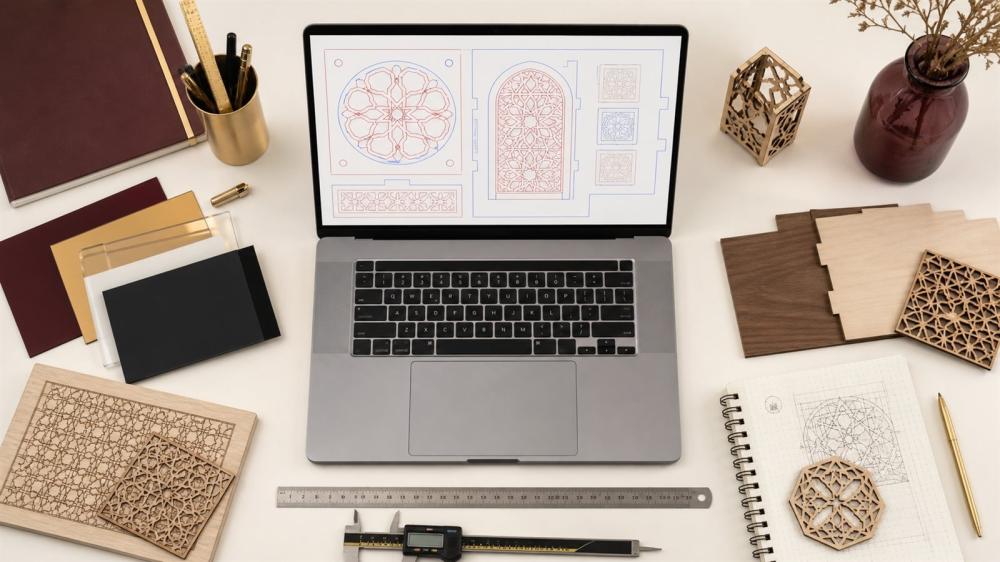
Preparing Laser Cutting & Engraving Designs: Lines, Paths, and Dimensions
Your laser file should clearly show what will be cut and what will be engraved. Repeated lines or fine details can lead to unexpected results.
File Preparation
• Use SVG, AI, or a vector PDF.
• Convert text to paths.
• Separate cut lines from engraving lines.
• Remove duplicate lines.
• Write down the final dimensions.
• Account for material thickness and fine details.
Before Approval
Review names, dates, holes, and bases, and test whether the piece can be assembled or hung.
Explore Services
Browse laser cutting & engraving
Explore custom acrylic
What Is the Difference Between Laser Cutting and Laser Engraving?
Before preparing your artwork, it helps to understand the difference between the two processes. Laser cutting goes all the way through the material and separates the piece from the sheet; it is used for shapes, letters, stands and signs with clean edges. Laser engraving removes only a surface layer so the design appears etched into wood or acrylic without separating the piece. That is why a laser cutting and engraving file must show exactly which lines are cut and which areas are engraved, and this is the key to a finished piece that matches your expectations.
The Best File Formats for Laser Work and Why Vector Matters
A laser machine follows paths, so it needs a vector file such as SVG, AI, vector PDF or DXF. A vector file keeps lines sharp at any size, while images such as PNG and JPG are made of pixels and only suit photo engraving, not cutting lines. If your logo only exists as an image it can be converted to vector, but it is better to ask your designer for the original file. See also how to prepare a logo for printing to learn the right format for each use.
Line and Colour Settings Inside a Laser File
- Cut lines: make them hairline (for example 0.01 mm) in one clear colour such as red.
- Engraving areas: fill them in black; greyscale can be used for photo engraving.
- Line engraving: use a third colour such as blue to separate it from cutting.
- Layers: keep cutting and engraving on separate, clearly named layers.
- Closed paths: make sure every cut shape is a closed path so the piece does not stay attached to the sheet.
Arabic Lettering and Names in Laser Designs
Arabic calligraphy looks beautiful when laser engraved, but it needs extra care. When letters are fully cut out, they must connect to each other or to a frame so small parts such as dots and hamzas do not fall out. Designers use small bridges to link the separate parts. Engraving does not have this problem, but very thin strokes may not show clearly at small sizes. Always convert text to outlines so the font does not change when the file is opened.
Choosing the Right Material and Thickness
Laser results vary with the material. Custom wood products give a warm brown engraving that suits gifts and wall art, while custom acrylic products give a modern, glossy look that suits shop signs, stands and plaques. Thickness affects the smallest possible detail: the thicker the material, the larger your details and openings need to be. For more, read the custom acrylic sign guide and choosing the material for custom printed products.
Common Mistakes in Laser Cutting and Engraving Files
- Duplicate overlapping lines that make the laser cut twice and burn the edges.
- Text not converted to outlines, so the font changes or disappears.
- Very small parts that break after cutting or fall out of the sheet.
- No final size written, so the design is produced at the wrong size.
- A low-resolution image sent for engraving, so details look blurry.
- Forgetting hanging or mounting holes in signs and stands.
Checklist Before Sending Your Laser File
- The file is vector and all text is converted to outlines.
- Cutting and engraving are separated by colour or layer.
- All cut shapes are closed paths with no duplicates.
- The final size is written in the file and in the order.
- Names, dates and numbers have been proofread.
- Material, thickness and colour are clearly specified.
If you do not have a ready file, the ENJOY STORE team can help through our design service, and for quantities or special pieces you can send a custom request or price quote.
Frequently Asked Questions
Is PNG suitable? It's useful as a reference, but vector files are better for cutting.
What is a path? A line that defines the cutting movement.
Should I convert the font? Yes.
How do I separate cutting from engraving? With clear colors or layers.
Is a duplicate line a problem? Yes, it may repeat the process.
What's the minimum thickness for fine details? It depends on the material and size.
Should I include the size inside the file? Yes, and also write it separately.
Can an image be engraved? It depends on its quality and the material.
Do I need a sample? Recommended for complex designs.
What should I send? The file, material, thickness, size, and quantity.
Related reading:
- How to Choose an Online Print Shop in Saudi Arabia: A Comparison Guide
- Types of Stamps and How to Choose a Company Stamp
Next Step
Clean up the paths, confirm the operations and size, then approve one final version before production.
Browse Laser Cutting & Engraving and Custom Acrylic Products in the store, and review the Design Service Policy before confirming your order.
© The content of this article is owned by ENJOY STORE, custom printing and stickers – enjoystore.sa. Copying or republishing it without written permission is prohibited.