

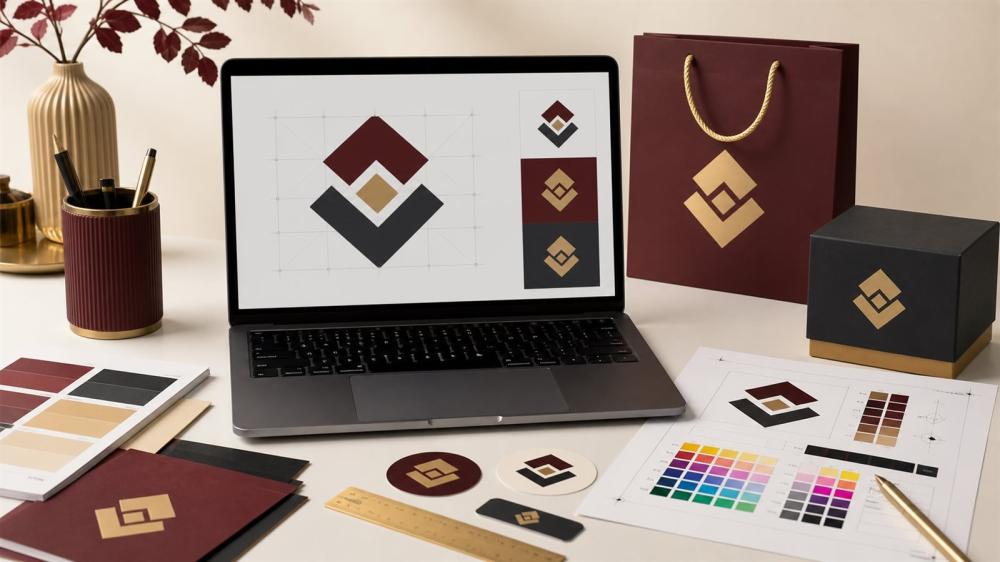
How to Prepare Your Brand Logo for Printing on Products and Materials
Once your logo is ready: print it on business cards in full colour on 300gsm coated card, with optional lamination and rounded corners.
A logo that looks great on screen may lose clarity when scaled down or printed on a different material. Preparing the right files preserves your identity and reduces edits.
Required Files
• Vector AI, SVG, or PDF.
• High-resolution PNG with a transparent background.
• Approved color codes.
• A single-color version when needed.
• Horizontal and square versions.
Before Sending
Convert fonts to outlines, leave safe space around the logo, and test how it looks at actual size. Avoid screenshots and compressed files.
Explore Services
Check out our custom printing solutions
Request design service when needed
Why Does a Logo Lose Quality When Printed?
Many business owners send their logo as a phone photo or an Instagram screenshot, then are surprised that the print looks blurry or the colours look different. Screens show images at relatively low resolution in the RGB colour model, while printing needs much higher resolution and a different colour model. That is why preparing your logo for print is an essential step before ordering stickers, paper prints or printing on clothing. At ENJOY STORE we review every file before production, but a good file from the start gives the best result.
Vector Files vs Raster Images
A vector file such as AI, SVG, EPS or vector PDF is made of paths and mathematical curves, so it can be scaled to any size without losing sharpness. It is the best choice for laser cutting and engraving and for contour-cut stickers. A raster image such as PNG or JPG is made of pixels and loses quality when enlarged. If you must use PNG, make sure it is 300 dpi at the actual print size and has a transparent background.
Colours: RGB, CMYK and Brand Codes
Screens display colour in RGB, while printers use CMYK or special inks. Some very bright screen colours, such as neon or electric blue, may look slightly calmer in print. To reduce the difference:
- Keep your approved brand colour codes (HEX, and CMYK if available).
- Order a sample when printing on a new material for the first time.
- Remember that the material colour affects the result, especially on clear stickers and coloured fabrics.
Logo Versions You Should Have
- Full-colour version: for main use on packaging and cards.
- One-colour version (black or white): for laser engraving and printing on coloured backgrounds.
- Horizontal and square versions: to fit packaging bands and round stickers.
- A short icon or monogram: for small seal stickers and stamps.
How Logo Preparation Changes by Printing Type
Cut stickers
With contour-cut stickers the sticker is cut around the logo, so the shape needs clear edges without very fine details at the outline. On small seal stickers, make sure text stays readable after scaling down; see box seal stickers.
UV DTF
With UV DTF stickers the print transfers without a background, so the logo looks printed on the surface. A transparent background is essential, and very thin lines may need a slight thickening to stick well.
Fabric printing
For DTF on clothing, the logo needs clear colours and a size that suits the print position (chest, sleeve or back). Read arranging DTF logos on a 100x30 sheet to save cost when printing several sizes.
Laser engraving
Laser work needs a one-colour version with clear paths, and colour gradients will not show as they do on screen. See preparing laser cutting and engraving artwork.
Safe Area and Minimum Print Size
Leave space around the logo (the safe area) so it does not get too close to the cut edges. Also decide the smallest size at which the logo stays clear; a logo with long text may not be readable on a 3 cm sticker. In that case, use the short icon instead of the full logo.
If You Do Not Have a Suitable Logo File
No problem. Our team can redraw or prepare your logo for print through the design service, and you can read how to prepare print-ready artwork for the general requirements of any file. When you are ready, send a custom request or browse corporate and wholesale services to print your logo on a wide range of products.
Frequently Asked Questions
What's the best format? The vector file.
Is PNG suitable? Yes, if it's high resolution.
Why a transparent background? To prevent a box appearing behind the logo.
Do colors vary? They may vary depending on the screen and material.
Should I convert fonts? Yes, to avoid them being replaced.
Do I need a black version? Useful for some production methods.
Can a small logo be enlarged? Not always without losing quality.
What's the safe margin? Space that protects the logo's clarity.
Should I test a sample? Yes, before ordering in bulk.
Who approves the final version? One person from the project.
Related reading:
- Business Cards: Sizes, Materials and Design Tips
- Types of Stamps and How to Choose a Company Stamp
- New Business Print Guide: Everything to Print Before You Launch
Next Step
Gather your logo files and colors in one folder and use the approved version in every order.
Browse Promotional Gifts and Fabric Printing in the store, and review the Design Service Policy before confirming your order.
© The content of this article is owned by ENJOY STORE, custom printing and stickers – enjoystore.sa. Copying or republishing it without written permission is prohibited.