
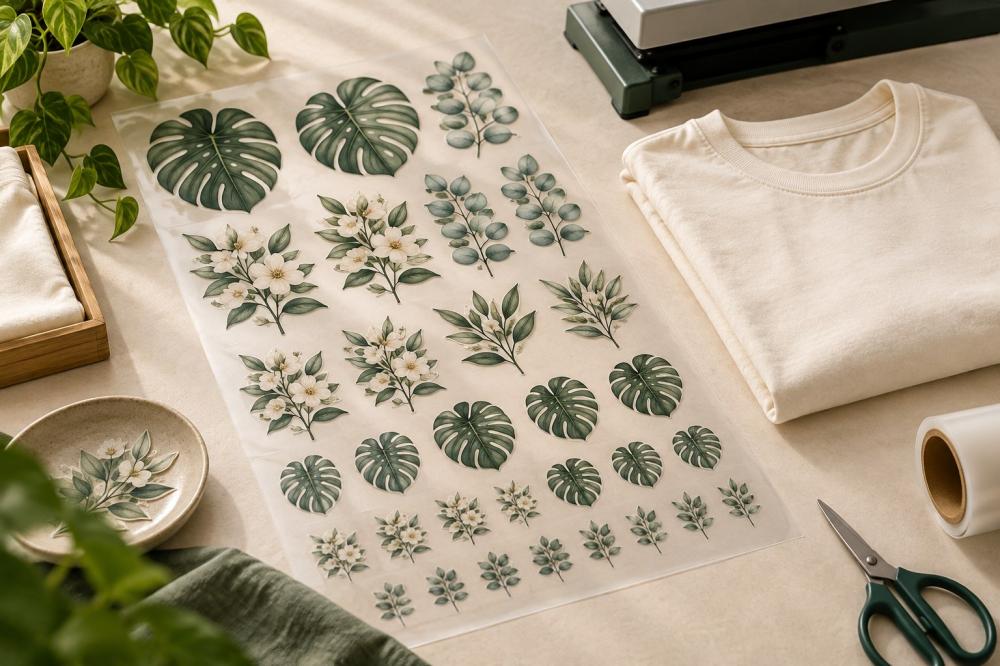
If you are preparing several T-shirts or garments, you may need logos of different sizes in a single order. A 100×30 cm DTF sheet lets you gather these prints in a planned layout, but making good use of the space starts from a list of garment needs, not from trying to fill every gap with an extra design.
Link every print to a garment
Write down how many chest, back and sleeve logos you need, with the width and height of each design. For example, the set may need small chest logos and larger ones for the back, and the numbers do not have to be equal if some garments carry a print on one side only. This list prevents forgetting a position or printing more than you need.
Keep the original dimensions
Arrange the files at their final size without stretching or squeezing the logo to fit a tight space. When you need to reduce a design, keep the ratio between width and height and check that the words stay readable. Leave suitable spacing to separate the prints and handle them before pressing, following the producer's instructions. A small empty area can be more useful than a design that is hard to separate. To prepare the file with the right resolution and margins, read Preparing Print-Ready Artwork: Resolution, Colours, Size and Margins.
Check backgrounds and repeats
Make sure the unwanted background has really been removed from the file, and that all repeated copies are the same approved version. Name the files in a way that shows the size and quantity, and keep a copy of the sheet layout for future orders. If there are individual names, separate them visually in a review file so they are easy to check before printing.
Do not calculate the number of possible prints from the area alone; the shape of the design and the spacing required affect the final number. Also ask about how the file should be prepared and its orientation before mirroring any design. Browse DTF fabric prints at 100×30 cm at ENJOY STORE in the fabric printing category, and review the order and heat-application requirements. Laying out the sheet starting from garment needs makes production more organised and makes it easier to track what was printed and what was used.
Common DTF Logo Sizes on Clothing
Before arranging logos on the 100×30 cm DTF sheet, set the final size of each logo based on its position on the garment. These are common sizes used by clothing stores and companies in Saudi Arabia as a starting point:
- Left chest logo: about 8 to 10 cm wide.
- Large centre chest logo: about 20 to 25 cm.
- Full back design: about 25 to 30 cm wide.
- Sleeve logo: about 5 to 7 cm.
- Back neck logo or label: about 5 cm or less.
- Caps and hats: about 5 to 8 cm depending on the front area.
The exact size depends on the garment itself; a chest logo on a kids' T-shirt is smaller than one on an XXL. That is why at ENJOY STORE we recommend testing a paper mock-up at size on the garment before approving the file.
How to Estimate How Many Logos Fit on a Sheet
A rough estimate starts by dividing the sheet area by the logo area, adding spacing between designs (about 0.5 to 1 cm on each side for cutting). Small square logos fit in large numbers, while large back designs fit only a few. Remember that shape matters: round or irregular logos leave gaps, and long logos need horizontal or vertical placement depending on the space. That is why it is best to send your files and quantities and let us arrange them for the best use of space.
Steps to Arrange Logos and Save Space and Cost
- List every logo with its size and required quantity.
- Place the large designs first, then fill the gaps with small logos.
- Rotate long logos 90 degrees if that saves space.
- Keep consistent spacing between designs to make cutting easier.
- Do not shrink or stretch a logo to make it fit; the final size must stay the same.
- Check that every logo has a transparent background and high resolution.
DTF by the Metre or by the Piece?
If you have many designs in different sizes, a sheet or printing by the metre is the most economical because you use the whole area. If you need a fixed number of one small logo at a fixed size, ordering by the piece may be simpler. Browse the options in fabric printing, and for large quantities for clothing factories and stores, see corporate and wholesale services.
How to Heat-Press DTF Logos Onto Fabric
After receiving the sheet, cut out each logo with a small margin, place it on the fabric with the print facing down, and press it with a heat press at the temperature and time suited to the fabric type. Let it cool before peeling off the clear film. Test on a sample piece first, especially with heat-sensitive fabrics. After pressing, follow the guidance in caring for DTF prints after washing.
DTF Sheet FAQ
Can different designs go on the same sheet?
Yes, different logos and designs in multiple sizes can be combined on one sheet.
Does DTF work on hard surfaces?
No, DTF is for fabrics only; for hard surfaces use UV DTF stickers.
What file format is required?
A high-resolution transparent PNG or a PDF; read how to prepare your logo for printing.
Related reading:
- How to Choose an Online Print Shop in Saudi Arabia: A Comparison Guide
- New Business Print Guide: Everything to Print Before You Launch
Related links
- Product: DTF Fabric Prints 100×30 cm
- Category: Fabric Printing
- Read also: Preparing Print-Ready Artwork: Resolution, Colours, Size and Margins
- Read also: How to Prepare Your Logo for Printing on Products and Marketing Materials
- Read also: DTF Printing for Team Uniforms: Keeping the Logo and Sizes Consistent Across Garments
- Read also: Graduation Sash with Your Name: Choosing Text and Colour for Clear Photos
© The content of this article is owned by ENJOY STORE, custom printing and stickers – enjoystore.sa. Copying or republishing it without written permission is prohibited.