

Sticker Size Guide for Packaging, Boxes, and Bags
The right size makes your logo clear and the packaging balanced. A sticker that's too big can cover important information, and one that's too small can make the name unreadable.
Measure the Surface, Not Just the Product
Identify the flat area where the sticker will stick, then measure the width and height in centimeters. Avoid edges and sharp curves if the material isn't suited for them.
Test a Paper Mockup
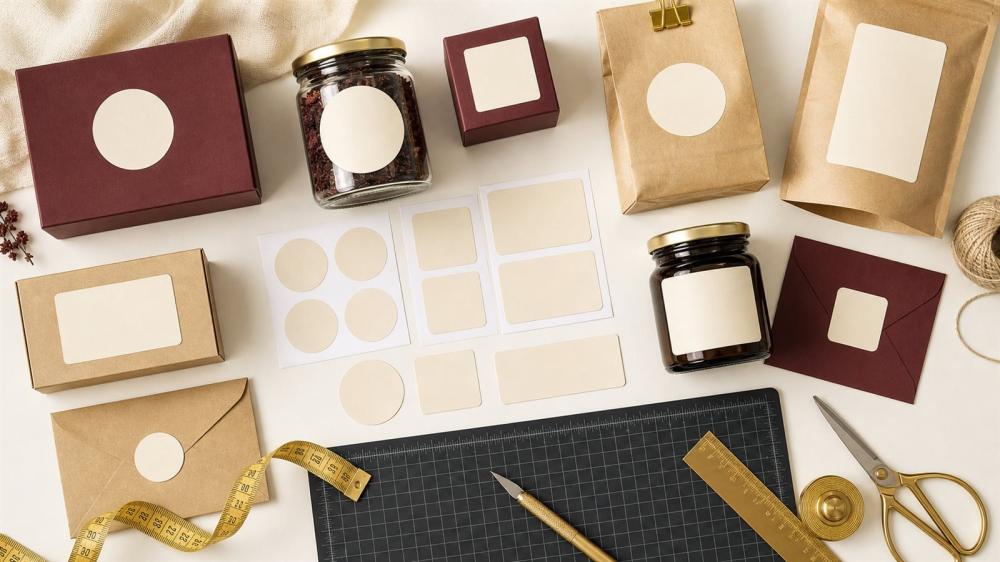
Print the design on paper at the suggested size, cut it out, and place it on the package. This simple step reveals whether the size is balanced and the text is clear.
Size by Use
• A closure sticker needs enough space at the edge of the bag or box.
• A logo sticker should ideally appear without covering the package design.
• An information sticker needs a clear font and enough room to read.
• Free-cut stickers are measured by the design's maximum width and height.
• UV DTF needs a smooth, hard surface and a precise size.
Review the Design
The smaller the size, the fewer details and text you should use. Keep good color contrast, leave space around the logo, and make sure the contact number and QR code stay readable.
Discover the Right Services
Browse stickers and adhesive printing
Explore UV DTF for hard surfaces
Common Mistakes
• Relying on an image without measuring.
• Writing the size in pixels instead of centimeters.
• Ignoring the surface's curve.
• Using text that's too small.
• Not testing the QR code.
• Ordering the quantity before trying a sample.
A Table of Common Sticker Sizes by Use
One of the most common questions we get at ENJOY STORE is: "What sticker size suits my box?" There is no single size for everyone, but these are common sizes used by store owners in Saudi Arabia as a starting point, and they should always be matched to the real measurement of your packaging:
- Round seal sticker for bags and small boxes: 3 to 5 cm diameter.
- Logo sticker on a medium box: 5 to 8 cm diameter or width.
- Rectangular box seal sticker: for example 15 × 6 cm or 21 × 9 cm; compare them in box seal stickers.
- Bottle or container label: based on the height of the flat area, usually 5 to 10 cm.
- Paper coffee cup sticker: 5 to 7 cm depending on cup size.
- Packaging band around a box: a length equal to the box circumference plus a small overlap; see wrap-around packaging band stickers.
How to Measure the Sticker Area Accurately
- Identify only the flat area the sticker will sit on, avoiding curves and edges.
- Measure width and height with a ruler in centimetres, not by eye or from a photo.
- Subtract a margin on each side (about 3 to 5 mm) so the sticker does not touch the edges.
- For cylindrical surfaces such as bottles and cups, measure the straight height and only part of the circumference.
- Print a paper mock-up at the proposed size and test it on the packaging before approving the order.
Size by Cut Type and Technique
Round and square stickers
Easier to arrange and cut and often lower in cost, they suit balanced logos. Find them among our printed stickers.
Contour-cut stickers
With contour-cut stickers, size is measured by the maximum width and height of the shape. Complex shapes need a slightly larger size so details stay clear after cutting.
Multi-design sticker sheets
When several designs share one sheet, the number of stickers per sheet depends on each design's size and the spacing between them. Read multi-design sticker sheets and die-cut sticker sheets.
UV DTF stickers
With UV DTF, an exact size matters because the design transfers directly onto a hard surface. A design larger than the flat area causes bubbles and wrinkles; see how to apply a UV DTF sticker.
How Size Relates to Price and Quantity
For many sticker products, price depends on the printed area, so a small reduction in size can fit more pieces per sheet or metre and lower the unit price. But do not shrink so much that the logo or text becomes unreadable. For large quantities you can order by the metre, and to understand pricing read the bulk printing cost guide.
The Smallest Readable Text Size
Very small text cannot be read after printing, especially thin Arabic fonts. As a general rule, keep the letter height of main text at no less than about 2 mm, use a clear font and strong contrast between text and background. If the sticker is very small, use only the logo or icon, and read how to prepare your logo for printing.
If you are not sure about the size, send us a photo of your packaging with its measurements through a custom request and our team will suggest the best size, or browse store and business printing bundles for ready solutions.
Frequently Asked Questions
How do I know the width and height?
Write the horizontal measurement first, then the vertical, clearly.
Does the size include the cut border?
It's determined by the product file and the cutting method.
What's the best size for boxes?
It depends on the box's surface area and design.
Can a small file be enlarged?
Enlarging doesn't always fix low resolution.
How do I measure a free-cut sticker?
By the design's maximum dimensions.
Does the same size work for all packages?
No, if the package size or shape differs.
Do I need a margin?
Yes, leave a safe space around the text and elements.
Can multiple sizes be printed?
Depends on the product and order options.
How do I test the QR code?
Scan it from the mockup at actual size.
What should I send with the order?
The file, size, quantity, and surface type.
Related reading:
- Custom Printed Boxes With Your Logo: Types, Sizes and Packaging Ideas
- Coffee and Roastery Stickers: Labels for Bags, Cups and Packaging
Choose Your Size with Confidence
Measure the area, test a mockup, and check that the text is clear. This gives your packaging a professional look and reduces the chance of reprinting.
Browse Stickers and UV DTF Stickers in the store, and review the Design Service Policy before confirming your order.
© The content of this article is owned by ENJOY STORE, custom printing and stickers – enjoystore.sa. Copying or republishing it without written permission is prohibited.