

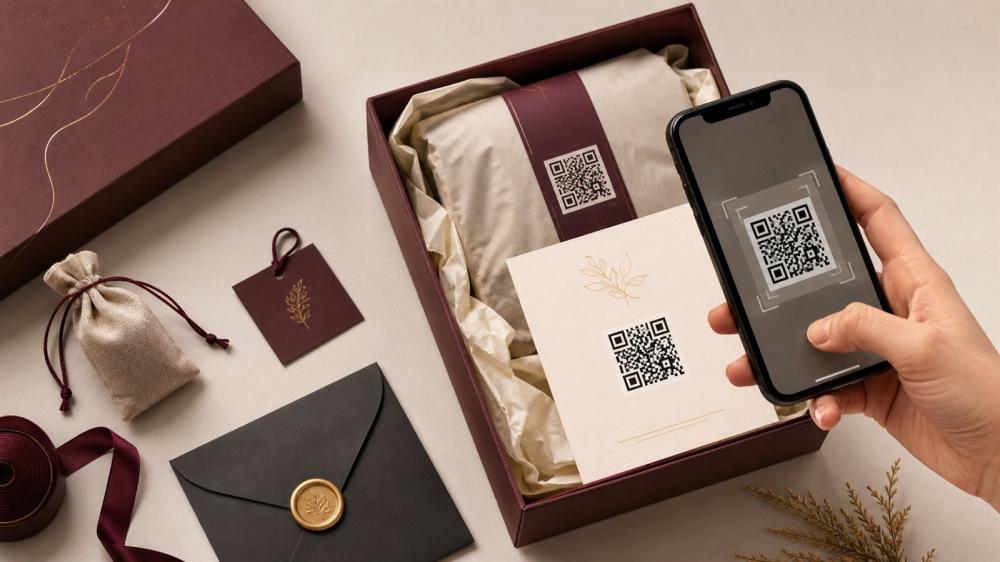
Using QR Codes in Print and Packaging Effectively
Put your QR code on a card: print business cards with a QR code linking to your website, WhatsApp or digital contact card, one or two sides from 100 cards.
A QR code connects print to the digital world, but it only works when it leads to a useful, fast page and appears at a scannable size.
Why This Matters
It can direct the customer to product instructions, a review, or a custom offer, and helps measure how the printed piece performs.
Practical Steps
• Choose one clear landing page
• Use strong contrast and a calm background
• Leave white space around the code
• Test it at actual size and on multiple devices
• Add a line that explains what the customer will get
Explore Relevant Services
Browse paper printed materials
Explore packaging stickers
Common Mistakes
• Code too small
• A long link that changes later
• A slow or generic page
• Placing the code on a curve
• Not testing it before printing
The Best Places for a QR Code on Packaging and Print
A QR code is a powerful marketing tool for online stores and small businesses in Saudi Arabia because it takes the customer from the product in their hands to a digital page in one step. But where you place it decides whether it gets scanned or ignored. These are the placements we recommend at ENJOY STORE:
- The thank-you card inside the order: to direct customers to review the product or follow your accounts. Read writing a customer thank-you card.
- The instruction card: to show a how-to-use or care video.
- The box seal sticker: a small code leading to a customer offer or a reorder page.
- The product label: to show ingredients, certification or complementary products.
- Exhibition prints: on roll-ups and flyers to capture visitor details; see trade show and event printing.
- Café or restaurant menus: to show the digital menu or ordering link.
What Size Should a Printed QR Code Be?
A practical rule is that the code width should be about one tenth of the scanning distance. If customers will scan from 20 cm away, the code needs to be at least about 2 cm wide. On most small prints such as cards and stickers, keep the code no smaller than 2 × 2 cm, with a white margin around it roughly four modules wide. On signs and roll-ups scanned from further away, make it clearly larger.
Static or Dynamic QR Code?
A static code holds the link directly, so if the link changes after printing you cannot edit it. A dynamic code points to an intermediate link that you can change later and gives you scan statistics. If you will print a large run of packaging or die-cut sticker sheets for a long period, a dynamic code or a fixed short link that you own is the safest option.
Designing a QR Code in Your Brand Style
You can colour the code and place a small logo in the centre, as long as you keep strong contrast between the code and the background (a dark code on a light background works best). Avoid similar tones, and do not invert colours (a light code on a dark background) without testing, because some cameras struggle to read it. When printing on branded packaging, make the code part of the design rather than a random element.
Landing Page Ideas That Boost Sales
- A one-step reorder page for the same product.
- A product review page or your shop's Google Maps listing.
- A short how-to-use or installation video.
- A list of complementary products or a new collection.
- Customer service WhatsApp for custom orders.
- A warranty or instructions page in clear language.
Test Your QR Code Before Approving the Print
Print a test copy at the real size on plain paper and scan it with several phones (iPhone and Android) in different lighting. Make sure the page opens quickly on mobile and delivers what you promised the customer. If the code will be printed on a curved surface such as a bottle or mug, test it on that surface because the curve can distort scanning.
Once the code and design are ready, you can print it on paper prints, contour-cut stickers or even UV DTF for hard surfaces. If you need design help, request our design service or send a custom request.
Frequently Asked Questions
Does it work on all phones?
It usually works with modern cameras
What's the right size?
It depends on scan distance and print quality
Can I change its colors?
Yes, as long as contrast is preserved
Should I add more than one code?
One clear goal is best
Does it work on a sticker?
Yes, on a flat surface with a suitable size
How do I measure results?
Use a dedicated link or campaign
Does it need internet?
Yes, to open the page
Should I write the link next to it?
You can add a short link as a backup
Should I test it after printing?
Yes, before approving the quantity
Where should I place it?
In a clear spot that won't be folded
Related reading:
Next Step
Define the code's goal, test the page and size, then approve the template. A good QR code turns the card or sticker into a measurable step.
Browse Paper Printing and Stickers in the store, and review the Design Service Policy before confirming your order.
© The content of this article is owned by ENJOY STORE, custom printing and stickers – enjoystore.sa. Copying or republishing it without written permission is prohibited.